


 select translation


Katakana name
アレックス・モーガン
Alex Morgan · sample name
Tap to insert
Tate Meshi Fill
The keyboard that translates as you type or speak. Insert Japanese — or five other languages — into any form or chat.
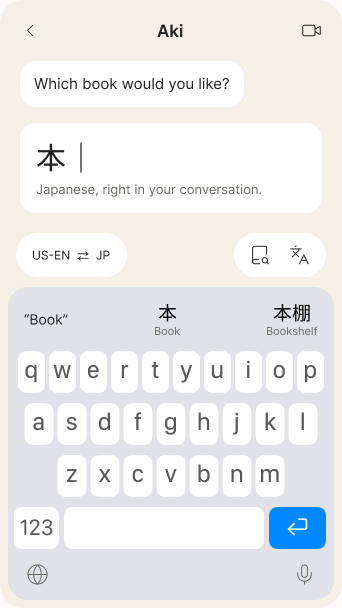
Three small steps. One fluid thought.
type or speakselect translationinsert
Start in your own words. Type naturally, or use voice input.
Choose the translation you need, right in the suggestion row.
Your Japanese lands in the active field. No switching apps. No copy and paste.
Works with Tate Meshi Go
Save a useful phrase in Go. Insert it with one tap from Fill into the active form or chat. Names, addresses and everyday words stay in one shared phrasebook.
Illustrative sample personal details only. Not real user data.
Meet your companion, GoA little setup. Then you’re in.
01 · Add Tate Meshi Fill
Start in iOS Settings.
iOS SettingsGeneralKeyboardKeyboardsAdd New KeyboardTate Meshi Fill
03 · Switch with the globe key
Hold the globe. Choose Fill.
In any text field, touch and hold the globe key, then choose Tate Meshi Fill. Your other keyboards are still a tap away.
Your phrasebook is stored on your device, with optional sync through your private iCloud database.
Cloud translation services can be used. In Go, you can prefer on-device-only translation, with a possible reduction in accuracy.
Make room for understanding
Get Tate Meshi Fill and make the next word a little easier.
Tate Meshi Full will bring your own LLM keys. Tate Meshi Pro will add extended Sensei workflows and credits. Additional languages, deeper glossaries and multi-step refinement are in the works.


